Decision Performance begins before the decision.
The ExecHero Command Environment is the world's first fully integrated Decision Performance Environment designed to improve what happens before, during, and after critical decisions.
ARCS is powered by an SDCC-trained intelligence layer.
A fully autonomous, behaviorally adaptive Decision Intelligence Infrastructure trained on the principles of The SDCC Way™ — Subconscious-Driven, Conscious Choice™.
Most platforms begin with software and later try to layer methodology on top. ExecHero was built in reverse. The doctrine came first. The infrastructure came second.
The SDCC Way was forged through decades of real-world decision environments, leadership, behavioral observation, high-pressure conversations, and large-scale organizational growth.
That is why ARCS, the Live Call HUD, Digital ExecHero, the Dojo, and the Decision Forge are not separate products. They are different expressions of the same operating system.
The true source code of ExecHero is not software. It is doctrine.
Most people try to improve outcomes without understanding decisions.
Influence does not begin during a call. It begins with every interaction before the call, every message, every page, every follow-up, every moment of trust created or lost, and every signal the other person gives before they consciously know what they are ready to do.
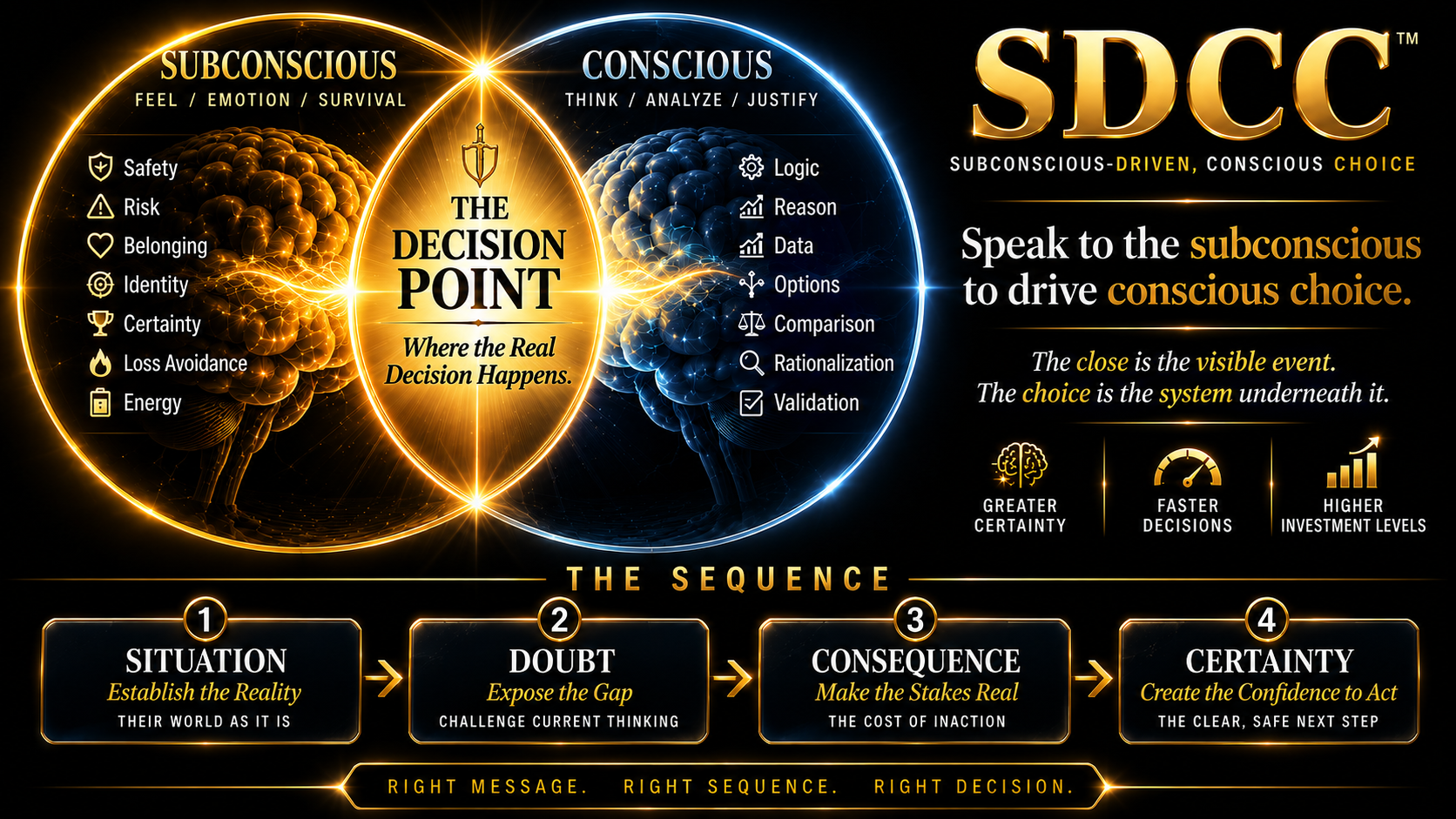
Speak to the subconscious to drive the conscious decision.
Most systems focus on scripts, tactics, or tools. SDCC is different. The Way trains you to read biological decision signals, identify the stage, reveal consequence without pressure, and build certainty without forcing the moment.
Every touchpoint shapes belief.
Every message creates movement. Every delay creates doubt. Every unclear interaction weakens certainty. Every well-led interaction increases trust. Decisions are rarely made in one moment; they are formed through a sequence.
Rob Mitchell, The ExecHero™
Founder, ExecHero™. Sensei, ExecHero Dojo. Architect of The Martial Way of SDCC™.
Martial Artist • Multi-Discipline Black Belt • Sensei • Former Dojo Owner • Dojo-Trained Philosopher.
Creator of The Martial Way of SDCC™, The SDCC Way™, the 10-Minute Close™, the Neuro Close™, the Mind-Sale™, and the Kenjutsu Close™.
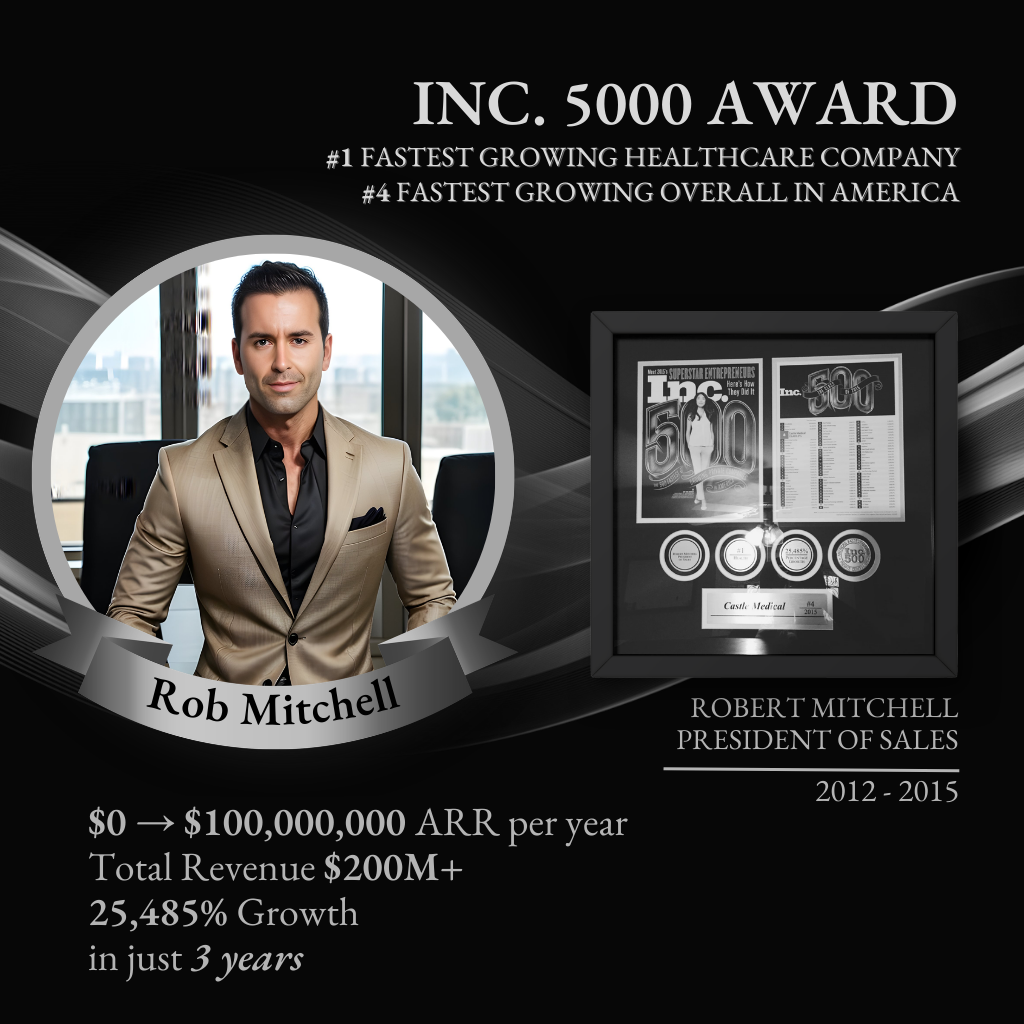
Inc. 5000 #1 Fastest-Growing Healthcare Company and Inc. 5000 #4 Fastest-Growing Company Overall in America. From near $0 to over $100M+ ARR per year and over $200M total revenue within just three years under Rob's leadership. Multiple $100M+ companies and brands scaled.
Human roles. AI layers. One decision-performance doctrine.
Inside ExecHero, the language is intentional. Warrior Guides and Scouts are not generic sales labels. They are decision leadership roles rooted in the SDCC Way.
The decision leader.
Closers, founders, consultants, physicians, operators, and leaders who guide decisions through biological influence, consequence development, certainty formation, and disciplined communication rather than pressure.
The opportunity observer.
SDRs, setters, recruiters, business development professionals, and relationship initiators trained to recognize movement, identify signals, surface opportunity, and create the conditions for the next decision.
The technology mirrors the doctrine.
The AI Warrior Guide supports preparation, diagnosis, call review, and decision-performance coaching. The AI Scout helps observe signals, surface movement, and support the infrastructure behind the scenes.

Choose the path that matches your role.
ARCS clients receive the full Command Environment, including the ARCS infrastructure chambers, visibility layers, and practitioner resources. Practitioner Edition members receive the chambers needed to improve decision performance before, during, and after critical conversations.
Train the operator. Execute the call. Reflect and improve.
This is the decision-performance path for closers, setters, SDRs, sales leaders, consultants, coaches, recruiters, physicians, and operators who want to communicate better, command the room, and guide more aligned decisions.
Install the revenue infrastructure. Let Aida work automatically.
ARCS clients should continue to Mission Control after this briefing. Your Command Environment includes one seat for the chambers that support ARCS and Practitioner Edition. You will also find multiple dashboard views designed to give you transparency into what Aida is doing behind the scenes, why she is doing it, and how that activity benefits your revenue system.
Additional team seats are available at just $97 per team member. Additional seats can use the practitioner resources, but are not wired into your private ARCS intelligence layer or live revenue metrics unless separately configured.
Decision architecture changes outcomes.
Lacy collected $14,500 after a single call only hours after her first SDCC session. Paul, a high-ticket closer, collected $102,000 cash in one day within six weeks of implementing the SDCC Way. Alex, a successful 8-figure Day Trader & Coach, doubled his team’s revenue month over month, increased their closing percentage from 20% to 67% and grew their average cash collected per closed deal from $1,700 to $8k+ within just 90 days of integrating the SDCC Way into his sales process
For ARCS clients, this matters because SDCC is not merely training content sitting beside the infrastructure. The SDCC Way is infused into the architecture that powers Aida, behavioral signal mapping, routing, engagement, recovery, and decision-stage movement.
The doctrine behind the ecosystem.
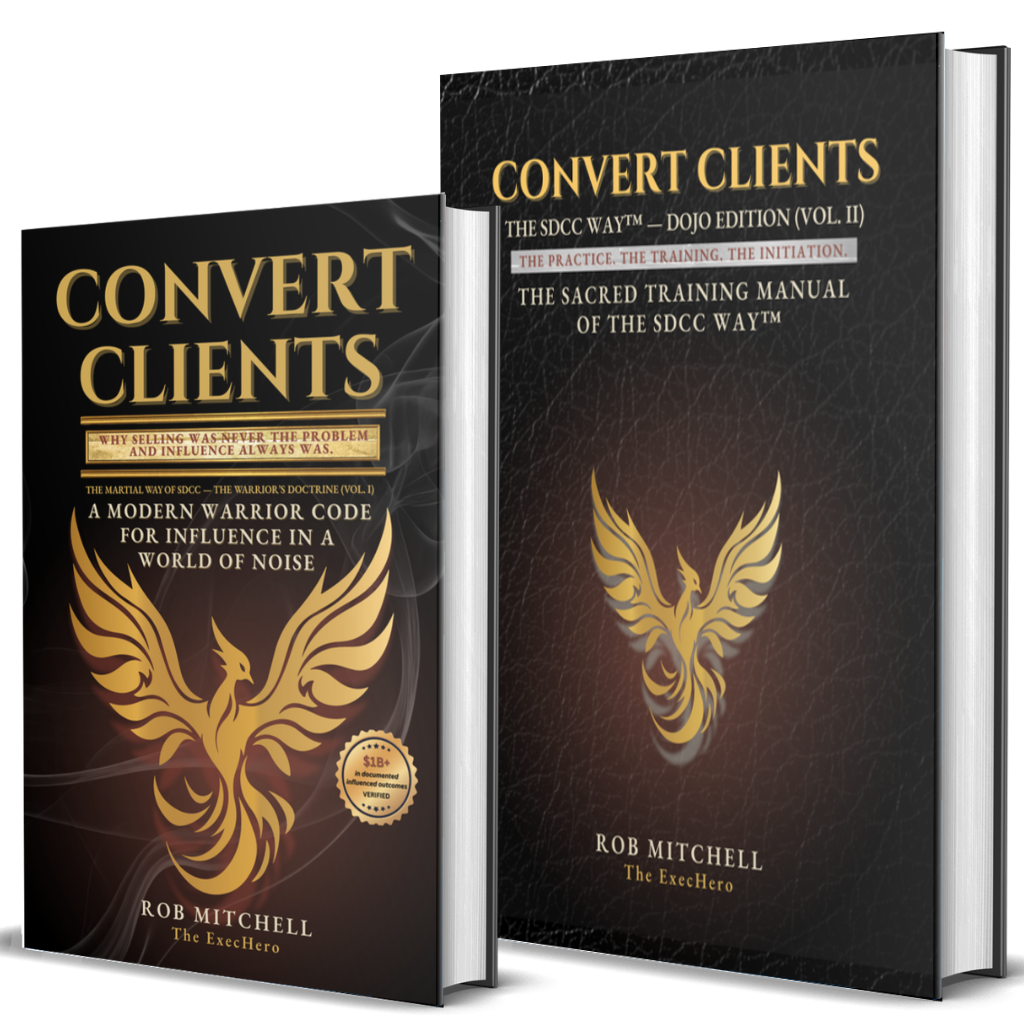
Convert Clients Vol. I and Vol. II provide the foundation behind the Way. The Command Environment gives you the operating system. The books give you the doctrine.
Automatic follow-up, recovery, routing, engagement, and revenue capture.
ARCS was not built to replace humans. It was built to augment them. Aida never gets tired, never forgets, never gets emotional, never takes days off, and never allows an opportunity to disappear simply because life got busy.
The most successful clients allow Aida to handle advanced behavioral signal mapping, engagement, routing, and recovery automatically, then jump in when a hot opportunity is ready for human leadership.
The future is not AI versus human.
The future belongs to humans augmented through dynamically adaptive infrastructure engineered around how each individual is biologically built to make decisions.
That is why ARCS includes access to high-end on-demand training katas, AI Warrior Guide technology, AI Scout technology, and practitioner resources designed to elevate the operators the system supports.
Decisions drive outcomes.
Decision performance can be trained, elevated, and scaled.
The result is a behaviorally intelligent ecosystem designed to help people and systems move decisions forward more effectively — whether the goal is stronger communication, better leadership, improved performance, higher conversion, faster execution, more aligned recruiting, better patient conversations, or more predictable growth.
Mission Control for Revenue Movement.
ARCS™ is complete decision-led revenue infrastructure — engineered to capture, route, respond, nurture, recover, and orchestrate opportunities across the buyer journey. This is not a chatbot, CRM, AI SDR, or automation portal. It is adaptive infrastructure designed to help revenue move with greater intelligence, consistency, and control.
Infrastructure coming online.
This progression gives visibility into the operational systems required for ARCS to capture, interpret, and orchestrate revenue movement.
System movement visibility.
ARCS surfaces meaningful movement, signal detection, and revenue activity without overwhelming the operator. The goal is intelligent visibility — showing what matters, when it matters, so confidence and clarity increase without adding noise.
Time and attention returned to the business.
ARCS is designed to remove operational drag that is easy to forget once the system starts handling it quietly. This view keeps the recovered time, reduced manual work, and maintained follow-up continuity visible.
A note from Rob.
You are not simply installing another system. You are choosing a different way to lead revenue movement, buyer conversations, and decision clarity.
You chose to build differently.
Thank you for choosing to align with ExecHero, the SDCC Way, and the ARCS mission.
This is bigger than lead follow-up, automation, software, or booked appointments. ARCS exists because the world does not need more pressure-based selling. It needs stronger decision leadership.
Every conversation your business enters is an opportunity to lead with clarity, timing, truth, and respect. That is the heart of the SDCC Way — helping people move through confusion, doubt, consequence, belief shift, and certainty without pressure, force, or manipulation.
I am grateful you are here.
I am grateful you chose to build something meaningful.
And I am grateful that through your business, this work now reaches more people — helping reshape the way the world experiences selling, leadership, and revenue capture one decision at a time.
Lead well. Serve deeply. Let the infrastructure do its work.
— Rob Mitchell, Founder of ExecHero
Teach the system how your market buys.
This is the intelligence ingestion layer for ARCS™ and Aida, our SDCC-Trained AI Intelligence Layer and Warrior Guide. The quality of the answers provided here directly influences conversational accuracy, SDCC orchestration, routing behavior, personalization quality, CTA timing, objection handling, and decision-stage movement.
Infrastructure readiness sequence.
Complete each layer in order. ARCS uses these answers to align the infrastructure intelligence layers, deployment logic, Aida knowledge base, CTAs, communication behavior, and operator visibility.
Detailed system movement, conversion intelligence, channel performance, signal detection, and learning proof.
Revenue movement made visible.
Mission Control gives the quick operational overview. This view shows the deeper proof layer: how ARCS is detecting signals, routing intent, generating conversations, surfacing constraints, and learning from market response.
Revenue movement snapshot
High-level proof that the system is receiving, interpreting, and moving opportunities through the capture layer.
Where opportunity is converting — or leaking
ARCS exposes the difference between raw lead volume and actual decision movement.
A live directional read on whether the capture layer is creating enough response, booking, and route momentum.
The system identifies the dominant revenue constraint based on the relationship between processed volume, immediate routes, conversations, and bookings.
Decision movement through the revenue system
This is the difference between contacts sitting still and contacts being actively interpreted, routed, and pursued.
Channel movement by response pathway
SMS, voice, email, and LinkedIn are interpreted as coordinated revenue motion — not isolated touches.
Decision signals detected
ARCS reads fit, activation, friction, urgency, route state, and SDCC movement to avoid treating every lead the same.
Message intelligence and response learning
The system tracks which positioning angles, CTA paths, and message variants appear to be creating the most movement.
Highest observed movement pattern based on the current available activity.
| Variant | Movement | Status |
|---|---|---|
| FM_A | 34% | Leading |
| F2_A | 26% | Learning |
| CTA_A | 18% | Watch |
What the system is learning
This layer gives visibility into how ARCS interprets behavioral movement across the market — adapting dynamically through decision-led orchestration rather than static automation sequences.
Revenue leakage and missed follow-up appear to be the strongest recognition hooks.
Prospects respond when the message names a hidden operational cost without blaming them.
Increase pressure on immediate-fit leads while keeping nurture cadence intact.
Recent system movement
A visibility feed highlighting meaningful behavioral movement, routing activity, and revenue orchestration across the system.
What this dashboard proves
This view exists to make the invisible revenue capture layer visible.
A CRM stores contacts. ARCS interprets movement, routes intent, and orchestrates revenue capture.
Static automation repeats. ARCS adapts tone, timing, pressure, channel, and next step based on decision signals.
More leads do not fix invisible conversion friction. Decision-led revenue capture reveals where behavioral movement, response timing, and revenue momentum are already weakening — before opportunities fully break down.
Watch the system strengthen through real buyer behavior.
ARCS continuously calibrates against the way prospects actually respond, hesitate, engage, object, and move. This layer gives you visibility into decision movement, signal interpretation, routing confidence, and communication performance so you can see the infrastructure becoming more useful over time.
Behavioral calibration in progress.
As lead flow, replies, appointments, objections, and follow-up activity increase, ARCS uses those signals to strengthen communication timing, routing confidence, message selection, and decision-stage movement.
Authority-framed messaging is showing stronger movement.
Early signals indicate prospects respond better when the conversation begins with recognition, context, and clear operational relevance instead of generic follow-up language.
Exploratory-stage engagement is increasing.
ARCS is detecting more prospects who are not ready for pressure, but are open to guided movement when the conversation lowers friction and clarifies relevance.
Decision-routing confidence is increasing.
More behavior creates better context. More context creates cleaner routing. Cleaner routing creates better timing, tone, and next-step orchestration.
Message performance is being interpreted.
ARCS monitors how different message patterns, CTA timing, follow-up structures, and channel behaviors influence movement. You do not need to manage this manually — the system keeps the important signals visible.
| Variant Area | Current Signal | Interpretation | Movement |
|---|---|---|---|
| First Message | Recognition-first opener | Prospects appear more receptive when the opening feels specific and relevant. | Strengthening |
| Follow-Up 2 | Consequence visibility | Light consequence framing creates clarity without increasing resistance. | Monitoring |
| CTA Timing | Direct booking path | Strongest when sent after relevance is established, not before. | Calibrating |
| Voice Handoff | Context-aware opener | Voice movement improves when Aida acknowledges interruption and gives permission to disengage. | Active |
The infrastructure compounds.
Even during quieter booking windows, ARCS continues monitoring conversations, maintaining follow-up continuity, nurturing dormant opportunities, and expanding the behavioral context needed for stronger movement.
Aida is working even when the calendar is quiet.
Not every revenue movement immediately appears as a booked appointment. Some movement happens as conversation warming, objection surfacing, trust expansion, reactivation, reply detection, and long-term decision formation.
The system keeps interpreting buyer behavior.
ARCS continues watching engagement, routing movement, reply patterns, nurture activity, and conversion signals so the system can become more useful as more real-world behavior enters the infrastructure.
The SDCC Way inside revenue infrastructure.
ARCS is built on the principle that people do not move because they receive more reminders. They move when doubt, belief, consequence, timing, trust, and certainty are led correctly. This layer makes the decision intelligence visible without overwhelming you with unnecessary complexity. But rest assured, ARCS continuously monitors decision movement across the revenue environment: timing, hesitation, trust friction, consequence visibility, certainty strength, and behavioral movement signals so the system can adapt outreach sequencing, continuation logic, channel priority, and communication pressure with more intelligence.
Decision-stage visibility.
ARCS shows decision movement, and buyer readiness without having to reveal the full complexity of the machinery. This gives our clients confidence that the system is interpreting buyer readiness and not blasting every prospect through the same rigid sales process, without exhausting them with complicated formulas, behavioral mapping models, and unnecessary reports.
What this means in practice.
ARCS does not force every person into the same sales path. It adapts tone, timing, density, channel priority, CTA placement, and continuation behavior based on the way the prospect appears psychologically positioned to move.
Not every prospect is ready for the same next step.
Some need speed. Some need trust. Some need consequence visibility. Some need a belief shift before a booking link is useful.
The system adjusts communication density.
A high-urgency service lead should not receive the same communication style as a skeptical high-ticket buyer. ARCS calibrates toward the decision environment.
Revenue movement is not always linear.
Prospects move through attention, relevance, doubt, belief, consequence, and certainty. ARCS was built to recognize and guide that movement.
Build stronger closers over time
When you want deeper mastery, ExecHero training helps your team improve sales leadership, call strategy, SDCC execution, call reviews, coaching, and internal performance.
The doctrine behind the infrastructure.
ARCS is built from the same decision principles taught inside the Convert Clients ecosystem: Rewire minds, Convert Clients, and Scale Freedom through Decision-Led Biological Influence and Decision Leadership.
Optional live call support for you, or your team.
The Call Command HUD is included to help coaches, consultants, agencies, sales teams, closers, and appointment setters lead stronger conversations in real time. It is not required for ARCS to operate, but it can help your team close more of the opportunities ARCS creates.
Step onto the mat.
Decision Forge is your virtual dojo for developing sharper recognition, cleaner judgment, stronger SDCC architecture, and better call preparation before the moment of execution.
Know what to train next.
Use the Compass to see your current training focus, belt indicator, blind spot, streak, and recommended next move.
Ten minutes of mat time.
Daily Insight, Daily Drill, Reflection, streaks, and shareable wins. This is the habit loop that turns Forge into practice, not another tool.
Pressure Creates Resistance
Where have you been trying to force movement instead of reading readiness?
Stage Recognition
A prospect clearly explains what is happening, but has not revealed concern, urgency, or emotional tension yet.
Study the principle behind the move.
Forge is not just here to hand you words. It is here to help you recognize what is happening, understand why it matters, and choose the right movement with more command.
Understand the sequence before you build the call.
Forge does not create scripts to memorize. It trains you to recognize the stage, read the signal, choose the right movement, and guide the decision without pressure.
The SDCC Way was intentionally designed to mirror the training structure used by traditional martial arts systems because martial arts have spent thousands of years solving a problem most modern education still struggles with: how to transfer judgment, timing, awareness, discipline, and skill from one human being to another.
The answer was never information alone. The answer was progression. Students learn one layer at a time. They practice, apply, fail, improve, and advance.
That is why SDCC uses belt ranks. The belts are not status, hierarchy, or ego. They represent growing capacity: deeper perception, emotional accuracy, timing, and decision leadership.
Belt Progression- White Belt — Foundation, safety, trust, and stage recognition.
- Yellow Belt — Awareness, clarity, and early signal recognition.
- Orange Belt — Doubt, disruption, and uncovering hidden friction.
- Blue Belt — Consequence, urgency, and identity tension.
- Green Belt — Emotional consequence, agency, and commitment.
- Purple Belt — Identity conflict, future-self awareness, and behavioral leverage.
- Red Belt — Decision psychology, self-confrontation, and internal resistance.
- Brown Belt — Architecture, inevitability, integration, and advanced movement.
- Black Belt — Transformation leadership, calm command, and embodied execution.
- Gold Belt — Legacy, destiny activation, lineage, and leadership beyond self.
Most practitioners fail because they focus only on what to say. Elite practitioners focus on what is happening. The belt system helps you recognize the depth of the moment so you can choose the right movement, ask the right question, identify the real signal, and guide the decision without pressure.
The goal is not memorization. The goal is perception. The better you see, the better you lead.
For the full Canon Vault, advanced SDCC doctrine, deeper training, and the complete question system, study Convert Clients Vol. I, Convert Clients Vol. II, and ExecHero Dojo On-Demand Training.
Optional strategy: use the calculator inside Cost / Feeling of Inaction.
Sometimes the prospect cannot feel the cost of staying the same until they see it outside of themselves. In that moment, the calculator can become a decision mirror. It is not used to lecture, teach, shame, or prove your point. It is used to create obvious self-recognition.
Think of it as a neuro-identity fracture tool: it helps the prospect compare who they believe they are against what their current behavior, risk, or numbers reveal. When used correctly, the calculator transfers authority away from opinion and into reality.
1. Open the calculator.
2. Make a copy.
3. Bookmark your copy.
4. Enter answers privately before sharing your screen.
5. Use the result to make inaction visible.
6. Do not over-explain, defend, or coach through the score.
7. Let the grade land emotionally.
Calculator: https://docs.google.com/spreadsheets/d/1Wirvq_zs0Kn-ZQFSu8FCe8KvQIrK0aBCwiinXKeTkhY/edit?gid=663744370#gid=663744370
Learn the decision sequence before you rely on the easy button.
Sell By Numbers™ is the teaching execution layer of the SDCC Way, and works equally well for both novices and veterans. Included here, is a fast-path version to help you build a complete decision conversation by simply selecting the right movement for each stage of the decision process: Situation, Doubt, Consequence, Cost / Feeling of Inaction, Certainty, Recovery, Close, and Onboarding.
Each stage exists for a reason. Situation creates clarity. Doubt reveals friction. Consequence makes delay visible. Cost of Inaction exposes the price of staying the same. Certainty builds trust in both the decision and the path forward. Recovery helps you decode objections as signals. Close creates commitment. Onboarding protects the decision after it is made.
Most conversations fail because people move too early. They explain before understanding. They present before consequence. They close before certainty. Sell By Numbers™ helps you follow the sequence so the conversation feels natural, structured, and easier to lead.
Push the easy button.
After you understand the sequence, let Forge assemble a practical SDCC framework for your market, offer, audience, objections, and desired outcome. The output is always editable before you use it live.
Create your editable Command Brief.
Add the specific prospect context below. Forge will create a call-ready Mission Brief. Edit it freely, copy it, save it, or push it into the HUD custom framework field.
Find the constraint that is costing you momentum.
The Constraint Mirror is here to help you see where growth is actually breaking down. More leads will not fix a close-rate problem. Better closing will not fix weak follow-up. More effort will not fix a broken system.
Enter your numbers and the Mirror will identify the most likely bottleneck across lead flow, contact rate, booking rate, show rate, close rate, value capture, follow-up recovery, time, team, and systems. This helps you know what to train, what to repair, what to delegate, and what to automate next.
When the constraint is no longer skill, but capacity, consistency, or follow-up execution, the Constraint Mirror may point you toward ARCS™.
ARCS™ is an intelligent, adaptive revenue capture infrastructure that automatically handles lead recovery, follow-up, nurturing, and outbound prospecting across multiple channels—ensuring every opportunity is worked while you and/or your team focuses on the conversations that matter most.
Call Command HUD.
The Call Command HUD helps sales-led and estimate-led businesses guide important conversations with more clarity, structure, confidence, and decision-stage awareness.
For coaches, consultants, agencies, appointment setters, closers, and sales teams, the HUD can be used live during phone, Zoom, or in-person sales conversations.
For HVAC, plumbing, roofing, remodeling, electrical, restoration, and other home-service businesses, the HUD becomes especially useful when your model includes phone sales, financing conversations, estimate review calls, inside sales, or higher-value closing conversations.
Guide the conversation through decision movement.
Use this stage map to keep the conversation structured. The goal is not to sound scripted. The goal is to recognize where the prospect is, what movement is missing, and what needs to happen before presenting the offer, estimate, quote, or close path.
Select a stage to reveal live guidance, movement objectives, listening signals, recovery pivots, and conversation framing recommendations.
Situation
Clarify the prospect’s current reality before trying to move them. No strong close can happen until the actual situation is visible.
Understand where they are, what is happening, and why now matters.
Current pain, urgency, stalled attempts, emotional language, practical constraints, and what triggered the conversation.
Pitching too early, explaining too much, proving before diagnosing, or assuming their problem.
“What’s happening right now that made this feel like the right time to explore this conversation?”
You are ready to move forward when the prospect has clearly stated the current problem, the reason it matters, and what they want to be different.
Open the operational call environment.
Once your offer paths, sales process, and objection notes are configured, use the Live Call HUD during active conversations to keep decision movement clear under pressure.
Configure your close paths.
Add the offers, programs, services, estimates, quote paths, consultations, retainers, memberships, payment links, deposits, financing options, or onboarding steps your team may need during an active sales conversation.
Prepare the live guidance layer.
Add your offer context, estimate flow, discovery structure, objection notes, close path, or onboarding steps. ARCS uses this to shape the SDCC Guidance Layer that supports the Closer during the live call.
Create an SDCC Guidance Layer from your calibration data.
ARCS already collects detailed information about your business, offer, audience, buyer psychology, objections, CTA paths, and desired conversion movement. That information can be used to help create a stronger sales structure than most businesses currently use.
This can generate stage prompts, decision questions, belief-shift language, consequence questions,certainty transitions, offer positioning, objection recovery, and onboarding lock guidance.
Already have a call flow, estimate path, or offer notes?
Paste the current context below. The stronger the source material, the easier it becomes to align the live HUD with how the offer is actually sold.
It does not need to be polished. The goal is to give the HUD enough context to support better questions, sharper reframes, and stronger next moves under pressure.
Close with decision-stage control.
Use this view during active sales calls, calls, estimate reviews, consultation calls, financing conversations, and high-stakes buyer conversations. It is also equally effective when used to set cold, warm or follow-up appointments, either as an additional conversion lift to Aida’s efforts for ARCS members, or for use by professional SDRs, appointment setters and booking agents who work independently of the automated ARCS system and are active Practitioner Edition members. Whether setting appointments as a Scout, or closing decisions as a Warrior Guide, the goal is the same: to keep the next move clear, without forcing you to scroll through a long script, hunt a payment link or scramble to find a critical prospect note, when the stakes are high and while pressure is live. Think of it like a fighter jet Heads Up Display(HUD) for the call: the Warrior Guide or Scout, keeps their attention on the conversation, while the system keeps the stage, signal, next move, and recovery path visible.
Before you enter the cockpit.
Your job is not to pressure. Your job is not to perform. Your job is not to convince. Your job is to read the stage, recognize the signal, influence with integrity, and lead the conversation until the right decision reveals itself.
Speak to the subconscious to drive conscious decision.
SDCC Warrior Guides do not teach, over-explain, rush to speak, or chase agreement. They understand that decisions rarely move because of information alone. Decisions move when biology creates safety and language provides direction. The strongest Warrior Guides do not force conclusions. They plant seeds through precise questions, strategic silence, consequence development, certainty formation, and decision leadership. The prospect should never feel pushed. They should feel understood, seen, and safe enough to arrive at the right decision for themselves.
Lock the room before you lead the call.
Keep the next step close during the call.
This section keeps your offer path, payment link, estimate process, and next-step instructions close during the call so the closer does not lose decision momentum searching for what to send, say, or secure next.
Confirm the correct offer, payment path, estimate step, or deposit instruction before sending.
Lock the next move before momentum disappears.
Use this after the call to capture what happened, what the prospect needs next, and what follow-up action should occur. Clear post-call notes help the team maintain continuity and prevent strong conversations from going cold.
Decision movement should stay clear.
Use the current HUD stage to shape the follow-up message so the next communication continues the same decision path.
Access deeper SDCC tactical frameworks, advanced question vaults, SAPs, NDLs, Turnarounds, Close Blades, emotional sequencing systems, and the full Convert Clients Doctrine.
Train the practitioner behind the performance.
Digital ExecHero is the doctrine, diagnosis, visual guidance, and practitioner continuity layer inside the Command Environment. Use it before pressure to prepare, after pressure to diagnose, and between conversations to strengthen pattern recognition.
Our philosophy is simple: pay for usage, not hypothetical tiers. Rather than restricting access through artificial limits, we align billing with actual utilization, so practitioners only pay for the resources they consume. Visual Chamber usage is automatically debited on or around the 1st and 15th of each month based on accumulated usage since the previous billing cycle.
Unlimited access is included for both the Doctrine Chamber and Call Doctor Chamber.
Choose the chamber you need now.
Doctrine clarifies the signal. Call Doctor diagnoses the sequence. Visual Chamber stabilizes and guides in real time. Continuity preserves the pattern so improvement compounds.
Ask the doctrine layer.
Use this when you need clarity on SDCC, Decision Leadership, positioning, objections, offers, funnels, leadership, or buyer friction.
Diagnose the conversation sequence.
Paste a transcript, call summary, or notes. Call Doctor will look for skipped doubt, weak consequence, hidden authority, price resistance, state breakdown, and certainty gaps.
Enter only when the moment deserves it.
This chamber uses the live presence layer. Because it carries direct per-minute cost, usage is intentionally metered, visible, and acknowledged before activation.
Preserve what pressure revealed.
Use this layer to capture signals, imports, doctrine outputs, and call diagnoses so Practitioner Memory has clean source material.
Note: Import HUD Notes pulls from the Live Call HUD call notes area, active stage, and signal/objection input. It does not pull from the HUD custom script/framework field located underneath the main framework viewing window inside the cockpit. To preserve a Forge briefing inside Digital ExecHero, copy it into the HUD call notes first or paste it directly into this Observation / Lesson field.
The Martial Way of SDCC.
Train the pattern before pressure exposes it.
Do not consume the Dojo like a course library.
Train it like a martial art. Choose one constraint. Practice one pattern. Apply it on the next real conversation. Return and repeat.
Knowing a tactic exists does not make a fighter.
Think while you train. Reflect while you consume. Observe where your current habits differ from the doctrine being taught. A person can walk into a martial arts dojo and, within an hour, learn dozens of punches, kicks, stances, counters, and strategies. But knowing a technique exists does not make a fighter. Knowing when to use it does not make a fighter. The practitioner who enters the arena armed only with tactics will often discover that tactics disappear when pressure arrives.
Train until the pattern becomes instinct.
What separates the exceptional from the average is not knowledge. It is embodied skill. It is repetition. It is pattern recognition. It is instinct forged through deliberate practice. Bruce Lee famously said, “I fear not the man who has practiced 10,000 kicks once, but I fear the man who has practiced one kick 10,000 times.” The purpose of the Dojo is not information accumulation. The purpose of the Dojo is installation. Train until execution becomes natural. Then step into the conversation and be like water.
Train inside the ExecHero Dojo.
Use the embedded portal below to access your on-demand katas, courses, and community. If login does not load correctly, use the backup option below.
Ready for deeper implementation or full revenue infrastructure?
The Dojo helps you train. The HUD helps you execute. Digital ExecHero helps you review. When you are ready for higher-level coaching, implementation support, or autonomous revenue capture, the next path is already available.
How to operate ARCS with confidence.
This guide exists inside the Command Environment so our clients can understand the system, upload leads correctly, review conversations when desired, and know what ARCS is doing without becoming dependent on support for every operational question.
Autonomous Decision-Led Revenue System.
ARCS is complete revenue infrastructure — not a minor improvement to a sales process, not a chatbot, not a basic CRM workflow, and not disconnected follow-up automation.
Static lead handling.
Traditional systems store leads and wait for people to remember what to do. ARCS captures, interprets, routes, and orchestrates movement.
Disconnected follow-up.
Instead of sending rigid reminders, ARCS adapts communication timing, tone, density, channel behavior, and next-step logic based on buyer signals.
Autonomous revenue movement.
Aida works behind the scenes to respond, continue conversations, guide prospects, and help opportunities move toward conversion.
Digital ExecHero usage charges.
Certain Digital ExecHero AI-powered functions carry usage-based charges depending on activity volume, live visual/avatar usage, communication delivery, AI processing, and future platform configuration. The Visual Chamber is the only chamber that usage-based charges are applied ($1 per minute rounded up to the nearest dollar). The other two chambers, Doctrine Console and Call Doctor, are provide without additional usage charges, allowing our members unlimited access. By accessing this Command Environment, you are acknowledging that you have read, understand and agree to be automatically debited for any applicable usage-based charges. ExecHero typically processes and debits usage fees on or around the 1st and the 15th of each calendar month, but reserves the right to process your payment method on file at any time or interval. ARCS and ExecHero are designed to keep continuity pricing fair and transparent by separating platform access from actual metered usage.
Pay for usage, not inflated estimates.
Usage charges are tied to billable system resources when they are actually consumed.
Review before activation.
Metered chambers and system functions disclose charges before use whenever applicable.
Built to prevent interruption.
Billing continuity helps ARCS, Digital ExecHero, and related intelligence resources continue operating without manual friction.
Uploading leads through the Command Environment.
This is the simplest path for clients who want to upload lead lists directly through the ARCS Command Environment interface versus uploading within the Contacts area of the ExecHeroGO Command Layer.
Upload CSV
Upload lead lists directly into the ARCS intake layer for enrichment, routing intelligence, orchestration preparation, and revenue movement activation. Designed for simple operational intake: upload file, confirm mapping, and activate processing.
When new leads are uploaded, ARCS stages them through the Deep Intelligence Layer in controlled processing cycles. This is where ARCS interprets available context, maps proprietary decision signals, identifies likely buyer movement, prepares routing intelligence, and moves each lead toward the appropriate decision path inside ExecHeroGO.
After Deep Intelligence preparation is complete, Aida and the ARCS communication layer take over across SMS, email, AI Voice, phone calls, replies, follow-up, nurture, booking movement, long-term reactivation, and ongoing multi-channel conversation handling. Those communication activities are not capped by the Deep Intelligence processing threshold. In other words, once a lead has been processed and routed, ARCS can continue handling unlimited ongoing communication activity across all supported channels.
ARCS is designed to process roughly 500 new leads per day through the Deep Intelligence Layer. Most businesses operate far below that level. A smaller local business may only generate 10–20 new leads per day. Many 7-figure service businesses purchase or generate roughly 20–70 new leads per day. Even larger operators doing $10M+ per year often remain well below 500 new leads per day across paid ads, organic traffic, referrals, and database activity.
Large uploads are supported. If you upload a larger list, ARCS queues the leads and works through them in structured waves to protect quality, stability, personalization, and revenue movement. If your operation ever needs more Deep Intelligence capacity, contact Client Success and we can review custom capacity options.
Add a single lead directly into the ARCS intake layer.
Use Direct Lead Intake when you want to quickly inject a single opportunity into the system without preparing a CSV upload.
The submitted lead data has entered the ARCS intake layer and is queued for decision-led processing, scoring, routing, orchestration, and revenue movement analysis.
Importing leads directly inside ExecHeroGO (Most Popular).
You can also import leads directly into ExecHeroGO. For brand-new leads, no ARCS tags are needed. Simply import the contacts correctly and ARCS will handle the appropriate routing path. If a prospect calls your dedicated ARCS phone line, or sends an SMS, the system will automatically create a contact record and route them into the system for Rapid Intercept and Deep Intelligence enrichment — automatically.
How to reprocess or regenerate contacts.
When existing contacts need updated fields, regenerated messaging, refreshed intelligence, or renewed routing, clients can update them through the same ExecHeroGO import flow.
Use eh-ra-reprocess only when contacts were previously imported incorrectly, are missing important information, or are existing contacts being intentionally updated.
This helps prevent contacts from being unnecessarily routed through the Deep Intelligence layer again and helps avoid additional usage charges for leads that have already been processed by ARCS.
For brand-new lead uploads, do not add this tag. Import the leads cleanly and allow ARCS to route them.
Landing page forms create the fastest path.
The best long-term lead flow is not manual upload. The best path is connecting landing page forms so leads automatically enter ExecHeroGO and ARCS without delay. When new leads enter through your forms, no ARCS tags are needed.
New inquiries can enter immediately.
When forms are connected, inbound prospects can be captured and routed quickly without waiting for a manual CSV upload.
High-intent leads can be engaged fast.
Rapid Intercept is designed for speed-sensitive opportunities where immediate response can improve connection and conversion outcomes.
Less manual work. More continuity.
Connected forms help ARCS become more autonomous by reducing human delay, missed uploads, and inconsistent lead handling.
Your website can become an active decision-entry point.
ARCS can include a website conversation layer that allows prospects to engage directly with Aida from your site. This is not a standard chatbot. It is a front-end conversation entry point governed by the SDCC-Trained Intelligence Layer. Your active enrollment in ARCS includes the website conversion layer. Email [email protected] if you would like the code to add to your website. Note: The code will need to be added within your website’s html code, simply hand it to your developer and they will know how to properly insert it. If you do not have a developer, we offer additional support options to handle it for you.
Prospects can start the conversation from your site.
Visitors can click the conversation bubble and begin interacting with Aida instead of waiting, leaving, or getting lost in a static contact form.
Multiple channels can support the same movement.
Depending on your connected configuration, prospects may be able to engage through live chat, SMS-style conversation, voice call pathways, email, Messenger, Instagram DM, WhatsApp, or other supported conversation channels.
Aida guides the conversation toward the right action.
Aida is calibrated to use SDCC, Biological Influence, and Decision Leadership principles to guide prospects toward the correct next step: booked call, service call, quote, estimate, application, or consultation.
Why A2P verification matters.
A2P verification helps carriers confirm that your business is sending compliant business messages. This protects message deliverability, reduces filtering risk, and supports healthier SMS communication. Each ARCS seat includes one dedicated ARCS phone number and A2P verification submission on their behalf. Additional phone lines and verification assistance can be added at any time as separate purchases. For Practitioner Edition members, ARCS phone numbers and A2P verification assistance are not included with your Practitioner Edition seat but can be purchased separately. Email [email protected] for specific details and pricing.
It verifies your business messaging use case.
Carriers want to know who is sending messages, why they are sending them, and whether the use case is legitimate. A2P helps establish that trust.
It supports better delivery health.
Proper verification can reduce the chances of compliant business messages being filtered, blocked, or treated as suspicious traffic.
Most approvals are quick, but delays can happen.
In most cases the process moves quickly, though it can take up to a week. This timing is controlled by the verification providers and carriers, not ExecHero.
Speed and depth work together.
ARCS uses different processing paths depending on the lead, source, urgency, and available data. This allows the system to move quickly when speed matters and go deeper when intelligence matters.
Fast response for high-intent opportunities.
Rapid Intercept is used when immediate engagement matters. It can help Aida respond quickly, start a conversation, attempt contact, or move a prospect toward the next action before attention fades.
Best for inbound leads, paid leads, urgent inquiries, form submissions, quote requests, or service-sensitive opportunities.
Deeper context for stronger personalization.
Deep Intelligence processing can enrich context, interpret business details, generate adaptive outreach assets, map decision signals, and prepare more personalized communication.
Current Deep Intelligence rate is just $0.15 per processed lead , billed based on actual usage so clients only pay their fair share.
How to see Aida working.
You can review Aida’s work directly inside ExecHeroGO. This gives you visibility into messages sent, replies received, conversation movement, and how prospects are guided toward the desired next step.
You are supported at every step.
Most operational answers live inside this Command Environment so you can move quickly, stay clear, and avoid unnecessary back-and-forth. When something needs our team, ExecHero support is here to help.
Use this SOP first.
Most lead upload, import, billing, conversation visibility, and system behavior questions are answered inside this Command Environment.
Email [email protected]
If something is unclear, broken, missing, or requires team support, email [email protected] with a clear description of the issue.
Lead capture, routing, follow-up, recovery, and adaptive orchestration infrastructure are now active. ARCS is prepared to receive opportunities and begin revenue capture operations.